
Upload images
Click or drag files here to add watermark
No images yet.
Add Watermarks to Images
Add a text or image watermark to one or several pictures. Adjust position, opacity, rotation and repetition, then review the exported files.
Image Watermark Features
Text Watermark
Add custom text watermarks to images. Customize font, size, color, weight, italic, and underline. Add copyright info, author credits, and brand labels to protect original content.
Image Watermark
Upload transparent watermark images like PNG or SVG. Support logo and stamp watermarks. Customize size, position, and opacity. Add professional brand watermarks to photos.
Tile Watermark
Enable tile mode to automatically repeat watermark across entire image. Adjust density to control spacing. Create anti-theft tile watermarks for comprehensive copyright protection.
Batch Watermark
Add watermarks to multiple images simultaneously with unified style. Support up to 20 images batch processing. Save time efficiently handling large volumes of images.
Flexible Positioning
9 preset positions for quick watermark placement: top-left, top-right, center, bottom-left, bottom-right, etc. Support X/Y offset for fine-tuning. Precise watermark position control.
Opacity & Rotation
Adjust watermark opacity from semi-transparent to fully opaque. Set rotation angle for tilted watermark effects. Flexible visual effect control.
Real-time Preview
Preview all watermark settings in real-time. see watermarked results. Adjust parameters and see changes immediately. Ensure watermark effect.
How to Use Image Watermark Tool
Upload images to watermark
Click upload or drag image files. Support JPG, PNG, WebP, BMP formats, max 50MB per image. Batch upload multiple images for unified watermarking.
Set watermark style and position
Choose text or image watermark type. Text watermarks allow customizing content, font, color, etc. Image watermarks require uploading watermark image. Adjust position, opacity, rotation angle, enable tile watermark. Preview watermark effect in real-time.
Download watermarked images
After confirming watermark effect, click download to save watermarked images. Single images download directly, multiple images download as ZIP. No tool watermark, ready to use.
Add Watermarks to Images · Example 1
These files were processed with this tool or its shared processing code. Compare the source, settings and downloadable results.
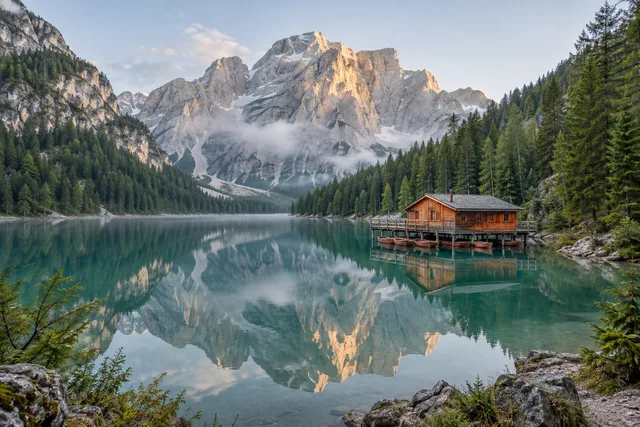
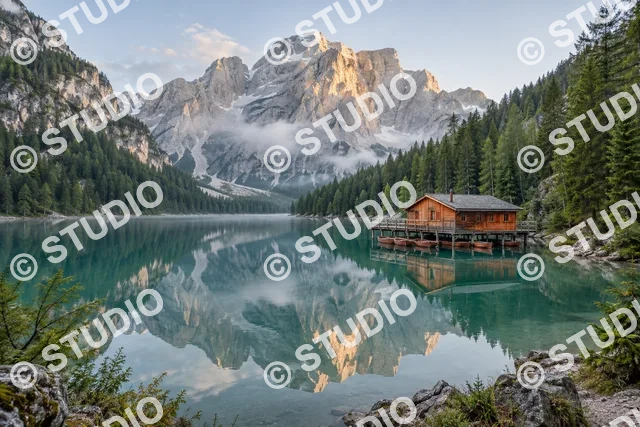
Image Watermark Tips
Proper Opacity
Recommended watermark opacity between 30%-70%. Too low reduces protection effect, too high affects image aesthetics. Find the best balance.
Right Position
Avoid blocking important areas, choose corners or edges. Tile watermark covers entire image for better protection. Flexible position options.
Use Tile Watermark
For images needing strong protection, enable tile watermark. Adjust density to avoid excessive clustering. Comprehensive copyright protection.
Color Contrast
Text watermark color should contrast with image background for visibility. Use dark watermarks on light images, light watermarks on dark images. Support custom colors.
Transparent Watermarks
Recommended to use PNG or SVG format transparent images for watermarks. Logo watermarks look more professional. Upload high-quality transparent watermark images.
Batch Efficiency
When multiple images need same watermark, use batch watermark function. Set once, process all, greatly improve work efficiency.
Add Watermarks to Images · More examples
These files were processed with this tool or its shared processing code. Compare the source, settings and downloadable results.




Image Watermark FAQ
More Image Tools
Need other image processing features? Try these professional tools:
Image Editor
Crop, rotate and resize a picture in your browser. Add text or shapes, draw on the image, and adjust colors before saving a copy.
Compress Image
Compress JPG, PNG and WebP images in your browser. Compare the output size and appearance before downloading individual files or a ZIP.
Resize Image
Resize one or several images by pixel dimensions or percentage. Lock the aspect ratio to avoid distortion and compare the preview before downloading.
Convert to PNG
Convert supported images to PNG for graphics, screenshots and logos. Preserve existing transparency; converting a JPG does not remove its background.