
Drop your image here
or click to browse your files · or press Ctrl+V to paste
Supported formats: JPG, PNG, WebP, GIF, BMP
Max file size: 50MB
Image Grid Splitter
Split an image into rows and columns for a grid, carousel or puzzle. Set the tile layout, preview the cuts and download the pieces as a ZIP.
Image Grid Crop Features
Flexible Grid Crop Options
Split your image into any grid configuration from 1x1 to 100x100. Choose the exact number of rows and columns for precise grid crop control. for any image grid crop requirement.
Instant ZIP Download
All grid crop tiles are packaged into a single ZIP file for easy download. Each tile is named with row and column numbers for easy organization and posting in correct order.
Visual Grid Preview
See exactly how your image will be split with live grid preview. Customize grid line colors to visualize the cuts clearly before exporting your image grid crop.
How to Grid Crop an Image
Upload Your Image
Drag and drop or click to upload the image you want to grid crop. Supports JPG, PNG, WebP, GIF, and BMP formats up to 50MB.
Set Grid Dimensions
Choose the number of rows and columns for your image grid crop. For Instagram carousel, use 3 columns. Adjust grid line color to preview the splits clearly.
Download Grid Tiles
Click Download ZIP to get all your grid crop tiles in one file. Each tile is saved with row and column numbers for easy posting in the correct sequence.
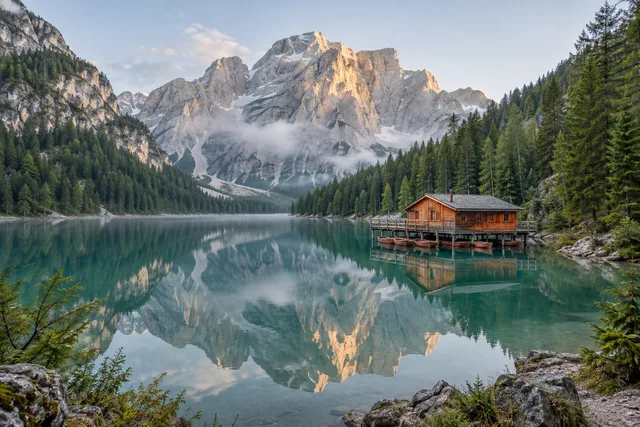
Image Grid Splitter · Example 1
These files were processed with this tool or its shared processing code. Compare the source, settings and downloadable results.


Popular Grid Crop Configurations
Instagram Carousel Grid
Split a wide panorama into 3 tiles for Instagram carousel posts. Creates a seamless swipeable experience when uploaded in order.
Vertical Story Split
Divide a tall image into 3 parts for multi-story sequences on Instagram or Facebook Stories.
Instagram Puzzle Feed
The classic 9-tile grid crop for Instagram puzzle feeds. Creates a stunning mosaic effect on your profile when tiles are posted in reverse order.
Quad Split Grid
Simple 4-tile grid crop for before/after comparisons, product showcases, or creating collage effects on social media.
16-Tile Mosaic
Create elaborate mosaic displays with 16 tiles. Great for event announcements, product launches, or artistic grid feeds.
6-Tile Portrait Grid
Ideal for splitting portrait photos or vertical banners into 6 sized tiles for multi-post reveals.
Grid Crop Tips for Best Results
Use High Resolution Images
For grid crop, start with high-resolution images. When splitting into many tiles, each piece needs enough pixels to remain sharp and usable.
Plan Your Grid Layout
Before grid crop, visualize how tiles will display on your platform. Instagram shows 3 columns, so 3×3 or 1×3 grids work best for puzzle feeds.
Post in Reverse Order
For Instagram puzzle feeds after grid crop, post tiles in reverse order (last tile first). This ensures the complete image displays correctly on your profile grid.
Match Platform Dimensions
Consider cropping your image to match the platform's aspect ratio before grid crop. Square images work best for Instagram's square grid display.
Keep the ZIP Organized
Grid crop tiles are numbered by row and column. Keep the ZIP file as reference — the naming helps you post tiles in the correct sequence.
Preview Before Download
Use the grid preview to check split lines. Adjust grid color for visibility and ensure important elements aren't awkwardly cut by grid crop lines.
Image Grid Splitter · More examples
These files were processed with this tool or its shared processing code. Compare the source, settings and downloadable results.
















Image Grid Crop - FAQ
More Image Crop Tools
Explore other specialized crop tools for different needs:
Free Crop
Crop a photo to a custom area or fixed aspect ratio. Rotate, flip and reposition the image, then download the cropped result.
Aspect Ratio Crop
Crop a picture to a fixed aspect ratio for a thumbnail, post or print. Position the subject inside the frame and download the result.
Circle Crop
Crop a photo into a circle, position the subject, and save a PNG with transparent corners for an avatar or profile picture.
Social Media Crop
Crop a photo using size presets for social posts, covers and thumbnails. Reposition the image and check the preview before exporting.