
Hello World
This is a Markdown to Image converter.
Features
- Supports bold and italic text
- Code blocks with syntax highlighting
- Lists, tables, and more
Code Example
function greet(name) {
  console.log(`Hello, ${name}!`);
}
This is a blockquote
| Column 1 | Column 2 |
|---|---|
| Cell 1 | Cell 2 |
| Cell 3 | Cell 4 |
Markdown to Image
Turn Markdown headings, tables and code blocks into an image. Choose a theme, adjust typography and preview the layout before exporting PNG.
Powerful Markdown to Image Features
Markdown to Image
Turn Markdown headings, tables and code blocks into an image. Choose a theme, adjust typography and preview the layout before exporting PNG.
4 Beautiful Themes
Choose from Light, Dark, GitHub, or Notion themes when converting Markdown to image. Each theme provides professional styling with optimized colors, fonts, and spacing for stunning Markdown images.
Syntax Highlighting
Render code blocks with beautiful syntax highlighting in your Markdown to image conversion. for creating shareable code snippets, technical documentation, and programming tutorials as images.
Custom Dimensions
Generate Markdown images in any size or aspect ratio. Set custom width and height, or choose from standard ratios (1:1, 16:9, 4:3). Markdown to PNG converter adapts to your exact specifications.
Adjustable Font Size
Control text size in your Markdown to image output. Scale font size to ensure readability for social media posts, presentations, or documentation. markdown image rendering at any scale.
High-Quality Export
Download Markdown images in high resolution with up to 3x pixel ratio. Convert MD to PNG with crisp, clear output suitable for retina displays, print, and professional presentations.
How to Convert Markdown to Image
Enter Markdown Content
Type or paste your Markdown text into the editor. Supports all standard MD syntax: headings (#), lists (- or 1.), code blocks (```), tables, links, images, and more for comprehensive Markdown to image conversion.
Select Theme & Style
Choose from 4 professional themes: Light (clean white), Dark (modern black), GitHub (classic developer), or Notion (elegant minimal). Each theme optimizes your Markdown to PNG conversion with beautiful typography and colors.
Adjust Size Settings
Set image dimensions by choosing custom width/height or selecting aspect ratios (1:1 square, 16:9 landscape, 4:3 standard). Adjust font size and export scale (1x-3x) for your Markdown image quality needs.
Preview & Download
View real-time preview of your rendered Markdown image. Click download to save as PNG file. Your Markdown to image conversion is ready to share, embed, or use in presentations.
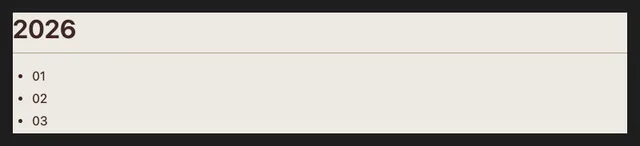
Markdown to Image · Example 1
These files were processed with this tool or its shared processing code. Compare the source, settings and downloadable results.
Tips for Better Markdown to Image Conversion
Use Proper MD Syntax
Follow standard Markdown syntax for best results. Use # for headings, ** for bold, * for italic, ``` for code blocks. Proper syntax ensures accurate rendering when converting Markdown to image.
Match Theme to Content
Choose Light theme for documentation, Dark for code-heavy content, GitHub for developer audiences, or Notion for elegant presentations. Theme selection enhances readability of your Markdown to PNG images.
Adjust Font Size
Increase font size for social media readability, decrease for detailed documentation. Larger fonts work better for mobile viewing. Test different sizes to optimize your Markdown to image output.
Format Code Blocks
Use ``` with language specification (```javascript, ```python) for proper syntax highlighting in code blocks. Well-formatted code blocks create professional-looking Markdown images.
Export High Resolution
Use 2x or 3x pixel ratio for crisp Markdown images on retina displays. Higher resolution ensures your Markdown to PNG conversions look sharp on all devices and screen sizes.
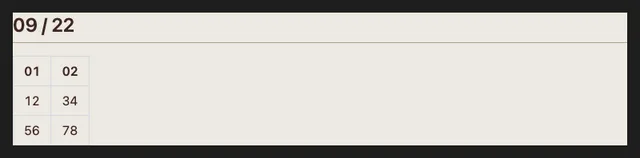
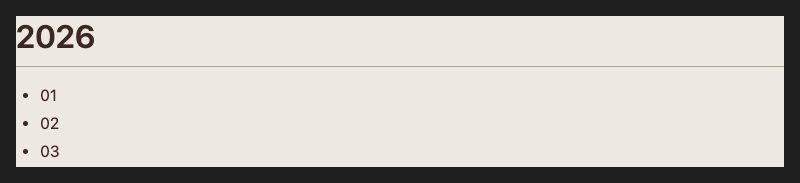
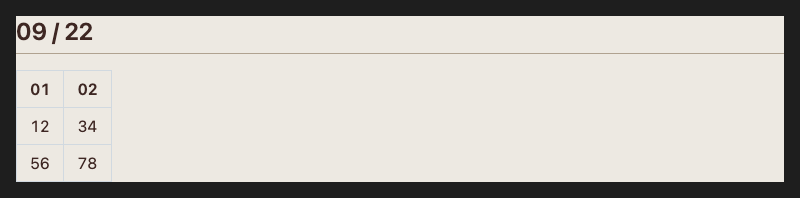
Markdown to Image · More examples
These files were processed with this tool or its shared processing code. Compare the source, settings and downloadable results.


Markdown to Image FAQ
Related Image Tools
Explore more free online image tools
HTML to Image
Convert HTML code to images
Text to Image
Convert text to beautiful images
Compress Image
Compress JPG, PNG and WebP images in your browser. Compare the output size and appearance before downloading individual files or a ZIP.
Resize Image
Resize one or several images by pixel dimensions or percentage. Lock the aspect ratio to avoid distortion and compare the preview before downloading.
Convert to PNG
Convert supported images to PNG for graphics, screenshots and logos. Preserve existing transparency; converting a JPG does not remove its background.
Add Watermark
Add a text or image watermark to one or several pictures. Adjust position, opacity, rotation and repetition, then review the exported files.
Image to ASCII Art
Turn an image into ASCII characters. Adjust character width, character set and color, then copy the text or download TXT and PNG output.